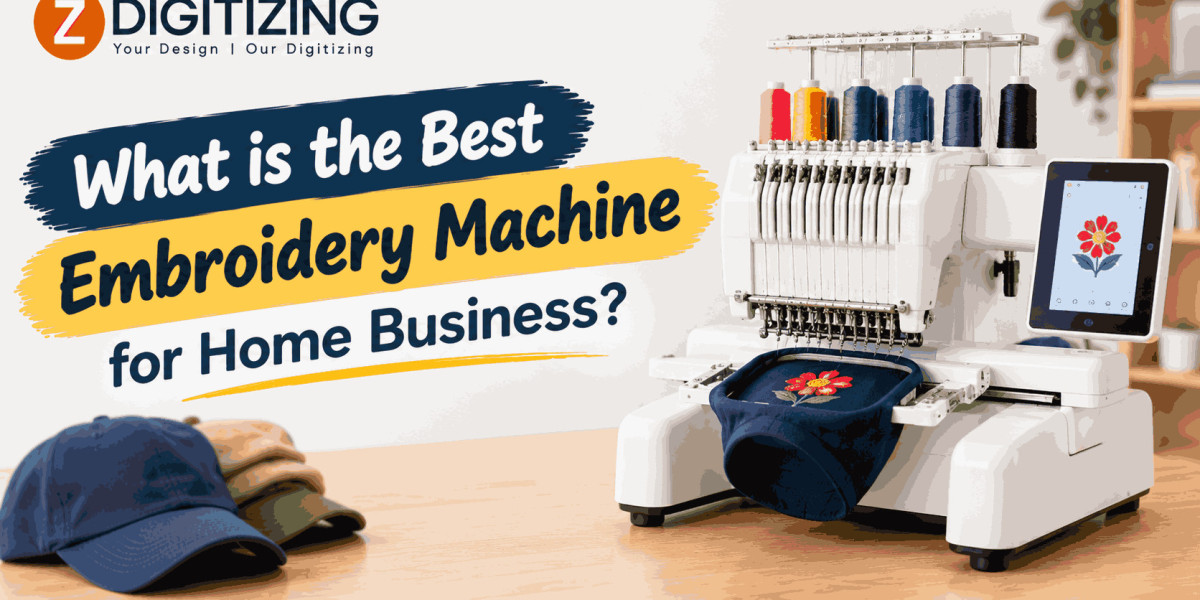

Starting an embroidery business from home can be a great way to turn your creativity into income. Whether you want to personalize clothing, create custom gifts, embroider business logos, or sell embroidered products online, choosing the right embroidery machine is one of the most important decisions you will make.
The best embroidery machine for home business depends on your budget, production goals, design sizes, and the types of products you plan to offer. Some machines are ideal for beginners who want to start with small projects, while others are designed for businesses that need to complete multiple orders efficiently.
In this guide, you will learn what to look for when buying an embroidery machine, which machines are worth considering, and how to choose equipment that supports your business as it grows.
What Should You Look for in an Embroidery Machine for Home Business?
Before investing in an embroidery machine, consider how you plan to use it. A machine that works well for personal projects may not be suitable for handling regular customer orders.
1. Embroidery Area and Hoop Size
The embroidery area determines the maximum size of a design that your machine can stitch in one hooping. A larger embroidery area gives you more flexibility when creating products.
For example, a smaller hoop may be sufficient for:
Left-chest logos on shirts and polos
Names and initials on towels
Small designs on baby clothing
Personalized gifts and accessories
If you plan to produce jacket-back designs, larger decorative patterns, or oversized artwork, you will need a machine with a larger embroidery field or a suitable multi-position hooping method.
Choose a hoop size based on the products you expect to sell rather than buying a machine simply because it has more features.
2. Single-Needle or Multi-Needle Design
Embroidery machines generally fall into two main categories: single-needle and multi-needle machines.
A single-needle machine is usually more affordable and easier for beginners to learn. However, you may need to stop the machine and change thread colors manually during a design.
A multi-needle machine holds several thread colors simultaneously. This allows it to switch colors automatically, reducing interruptions during complex designs.
For a home business, a single-needle model may be suitable when you are starting with limited orders. If you regularly embroider multicolored logos or handle larger production volumes, a multi-needle machine may be a better long-term investment.
3. Embroidery Speed and Production Capacity
A machine's maximum stitches-per-minute rating can help you understand its potential speed, but it should not be the only factor in your decision.
Actual production time also depends on design complexity, stitch count, thread changes, fabric preparation, hooping, and machine adjustments.
A machine that stitches quickly but frequently breaks thread or produces poor results can cost more time than a slower, reliable model.
Look for a machine that offers consistent stitching, manageable maintenance, and the production capacity your business needs.
4. Supported File Formats
Embroidery machines use specific digital files that tell them where to stitch, which stitch types to use, and how the design should be formed.
Common embroidery formats include DST, PES, EXP, and JEF. However, not every machine supports every format.
Before buying, confirm which formats your machine accepts and whether you will need conversion software. You should also understand that changing a file's extension does not convert the design correctly. The file must be exported or converted into a compatible embroidery format.
5. Software and Design Editing Features
Embroidery software can help you create lettering, adjust designs, resize artwork, and prepare files for stitching. Some machines offer built-in editing features, while others rely on separate computer software.
Beginners may only need basic lettering and design-positioning tools initially. As your business expands, more advanced software can help you customize designs and prepare artwork for different fabrics and products.
Remember that converting an image into an embroidery file is not always a simple one-click process. Good digitizing requires appropriate stitch types, density, underlay, pull compensation, and stitch direction.
Best Embroidery Machines for a Home Business
Several machines are worth considering, depending on your experience, budget, and expected workload. The following options represent different business needs rather than a universal ranking.
1. Brother PE900: Best for Beginners Starting with Embroidery
The Brother PE900 is an embroidery-only machine designed for people who want to focus on embroidery rather than regular sewing.
It offers a 5-by-7-inch embroidery field, making it suitable for many common home-business products, including shirts, towels, tote bags, and personalized gifts.
Why consider it?
Dedicated embroidery functionality
A useful embroidery area for many small-business products
On-screen design editing features
Wireless design-transfer capabilities
A relatively approachable option for new embroiderers
Potential limitations
The 5-by-7-inch field can restrict larger designs. It is also a single-needle machine, so you must account for manual thread changes when stitching multicolored artwork.
Best for: Beginners who want to sell personalized items, small logos, names, and gifts from home.
2. Brother SE700: Best for Sewing and Embroidery Together
The Brother SE700 combines sewing and embroidery features in one machine. This can be helpful if your business involves both creating products and adding embroidered details.
For example, you might sew small accessories, make simple fabric items, and then personalize them with names or logos.
Why consider it?
Combines sewing and embroidery capabilities
Offers a 4-by-4-inch embroidery area
Includes built-in lettering and design-editing features
Can reduce the need to purchase separate sewing and embroidery machines
Potential limitations
Its smaller embroidery field is not ideal for large designs. You should also consider whether you will use the sewing features often enough to justify choosing a combination machine.
Best for: Home businesses that make fabric products and add small embroidered designs.
3. Janome Memory Craft 500E: Best for Larger Embroidery Projects
The Janome Memory Craft 500E is an embroidery-only machine designed for people who need more room for creative projects.
Its maximum embroidery area is approximately 7.9 by 11 inches, providing more flexibility for larger decorative designs than many entry-level machines.
Why consider it?
A larger embroidery field
Multiple hoop options
Design-positioning and editing features
Suitable for decorative projects, garments, and larger fabric items
Potential limitations
It is a single-needle machine, and its larger embroidery capabilities may require a higher initial investment. You should also check the availability of local support, accessories, and compatible software before purchasing.
Best for: Home businesses that focus on larger designs, decorative products, and personalized apparel.
4. Brother PR680W: Best for Growing Businesses
The Brother PR680W is a six-needle embroidery machine designed for more demanding embroidery work. Unlike entry-level single-needle machines, it can hold multiple thread colors and change between them automatically.
This is especially useful when customers order detailed logos or designs containing several colors.
Why consider it?
Six needles for multiple thread colors
Automatic color changes
A larger production-oriented setup than typical beginner machines
Useful features for handling repeated embroidery orders
Potential limitations
The purchase price, workspace requirements, accessories, and maintenance costs are generally higher than those associated with beginner machines. It also requires practice to achieve consistent results.
Best for: Established home businesses that receive regular orders and need to improve production efficiency.
Before buying any model, verify current specifications, regional availability, warranty coverage, and compatibility with your intended products.
Which Embroidery Machine Is Best for Your Business Type?
The best choice becomes easier when you match the machine to the products you want to sell.
For Personalized Gifts
If you plan to embroider baby blankets, towels, bags, caps, and small gifts, a beginner-friendly single-needle machine may be sufficient.
Focus on reliable stitching, easy design placement, suitable hoop sizes, and lettering features. You do not necessarily need an expensive production machine when you are testing a new business idea.
For Custom Clothing and Business Logos
If you want to embroider logos on polo shirts, sweatshirts, uniforms, or workwear, prioritize consistent stitch quality and reliable design files.
A 5-by-7-inch embroidery area may be sufficient for many left-chest logos. However, the exact size depends on the artwork and the customer's requirements.
For frequent orders involving multiple thread colors, a multi-needle machine can save time by reducing manual thread changes.
For Hats and Caps
Cap embroidery requires more than simply choosing a machine with a high stitch speed. You must also consider whether the machine supports the appropriate cap frame or attachment and whether it can handle the curved surface correctly.
If caps are a major part of your business, investigate machines designed for cap embroidery and check the availability of suitable accessories.
You should also learn how to prepare designs for curved surfaces. Incorrect stitch direction, excessive density, or unsuitable design placement can lead to puckering and uneven results.
For Jacket Backs and Large Designs
Large jacket-back designs require a sufficiently large embroidery field or a reliable method of dividing and aligning the design.
Not all home embroidery machines can complete a large design in one hooping. Splitting a design across multiple hoopings requires careful alignment and can increase production time.
If large jacket designs are central to your business, compare embroidery area, hoop availability, fabric handling, and the machine's ability to produce consistent results on heavier materials.
How Much Should You Spend on an Embroidery Machine?
Your budget should include more than the machine itself. Thread, stabilizers, needles, hoops, software, blanks, maintenance, and packaging can all affect your startup costs.
Entry-Level Budget
A beginner may start with a single-needle embroidery machine and basic supplies. This approach allows you to learn the process and test demand without committing to a large equipment investment.
The trade-off is that you may spend more time changing thread colors and managing orders manually.
Mid-Range Budget
A more capable machine with a larger embroidery field may be worthwhile if you already have customers or plan to sell larger designs.
At this level, compare software options, accessories, warranty terms, and the types of products you can realistically produce.
Production-Oriented Budget
A multi-needle machine may be suitable when orders are frequent enough to justify the higher cost.
Before investing, estimate how many items you expect to embroider each week and how much time automatic color changes could save. A more expensive machine does not guarantee profit if demand is limited.
Important: Check current prices from authorized dealers in your country. Costs vary by region, model availability, included accessories, taxes, and warranty coverage.
Additional Equipment You Need for a Home Embroidery Business
Buying an embroidery machine is only the beginning. You will also need the right tools and supplies to produce consistent results.
Essential Supplies
Embroidery thread in commonly requested colors
Appropriate machine embroidery needles
Cut-away, tear-away, or wash-away stabilizers
Hoops compatible with your machine
Fabric scissors and thread snips
Bobbins and replacement machine parts
Test fabrics and sample garments
Different fabrics require different stabilizers and handling methods. Stretchy shirts, towels, caps, and heavy jackets do not all behave the same way during stitching.
Embroidery Digitizing Software or Services
You need properly prepared embroidery files before you can produce customer orders. Software can help you create and edit designs, but professional digitizing services can be useful when you need custom logos or more complex artwork.
For example, a digitizing provider such as ZDigitizing can prepare designs in compatible machine formats and handle specialized work such as cap embroidery, appliqué, and 3D puff designs.
When outsourcing digitizing, provide the intended fabric, design dimensions, placement, and machine requirements. Always test a new design before producing a large batch.
How to Choose the Right Machine for Long-Term Growth
A good machine should suit your current needs while allowing you to build your business responsibly.
Start with Your Product Range
List the items you plan to sell first. If your main products are personalized towels and small logos, a beginner machine may be enough. If you intend to embroider caps, large jackets, and complex logos, your requirements will be different.
Calculate Your Production Needs
Estimate how many orders you expect to complete each week. Include time for hooping, thread changes, trimming, quality checks, and packaging.
This will help you determine whether a single-needle machine is practical or whether a multi-needle model would offer a meaningful advantage.
Check Training and Technical Support
Look for accessible tutorials, a clear manual, warranty coverage, and service technicians who can support your machine. Reliable support can be especially important when the machine is responsible for fulfilling customer orders.
Test Designs Before Selling Them
Always stitch a sample before completing a paid order. A design that looks excellent on a computer screen may behave differently on the actual fabric.
Check lettering clarity, thread tension, registration, puckering, and the appearance of small details. Make adjustments before moving into full production.
Common Mistakes to Avoid When Buying an Embroidery Machine
Choosing based only on price: A cheaper machine may have limitations that affect the products you can offer. Compare features against your actual needs.
Ignoring hoop size: A machine with a small embroidery field may prevent you from completing certain designs efficiently.
Overlooking running costs: Thread, stabilizers, software, maintenance, and blanks all contribute to your expenses.
Expecting the machine to fix poor digitizing: Even a high-quality machine cannot consistently produce excellent results from an unsuitable embroidery file.
Buying too much capacity too soon: A commercial-style machine may be unnecessary if you have not yet established steady demand.
Failing to check local support: Parts, repairs, and warranty service can be difficult or expensive if suitable support is unavailable in your region.
Conclusion
The best embroidery machine for a home business depends on the products you plan to make, your budget, and the number of orders you expect to handle.
The Brother PE900 is worth considering for beginners who want a dedicated embroidery machine, while the Brother SE700 may suit businesses that also need sewing functionality. The Janome Memory Craft 500E offers a larger embroidery area for bigger designs, and the Brother PR680W is an option for businesses that need multi-needle production capabilities.
Before making your decision, compare embroidery area, supported file formats, thread-changing features, accessories, service availability, and total operating costs. Combine the right equipment with quality digitizing, suitable materials, and careful testing to build a home embroidery business that can grow over time.
Frequently Asked Questions
1. What is the best embroidery machine for beginners starting a home business?
The Brother PE900 is one option for beginners who want an embroidery-only machine. Its 5-by-7-inch embroidery field is suitable for many small logos, personalized gifts, and clothing designs. Your best choice will depend on your budget and the products you plan to make.
2. Is a single-needle embroidery machine enough for a small business?
Yes. A single-needle machine can be sufficient for a small business producing personalized gifts, names, and simple logos. However, manual thread changes may slow down multicolored designs when order volumes increase.
3. Is a multi-needle embroidery machine better for business?
A multi-needle machine can improve efficiency by holding several thread colors and changing between them automatically. It may be a better option for frequent orders and complex logos, but its higher cost may not be justified for a new business with limited demand.
4. Can I run an embroidery business from home with a small machine?
Yes. You can start with smaller products such as towels, tote bags, baby items, and left-chest logos. As demand grows, you can expand your product range or upgrade to a machine with a larger embroidery field or more needles.
5. Do I need embroidery digitizing software to start an embroidery business?
Not necessarily. You can begin by using compatible, ready-made embroidery designs or outsourcing custom digitizing. If you later want to create and edit your own designs, embroidery software can provide greater control over your workflow.