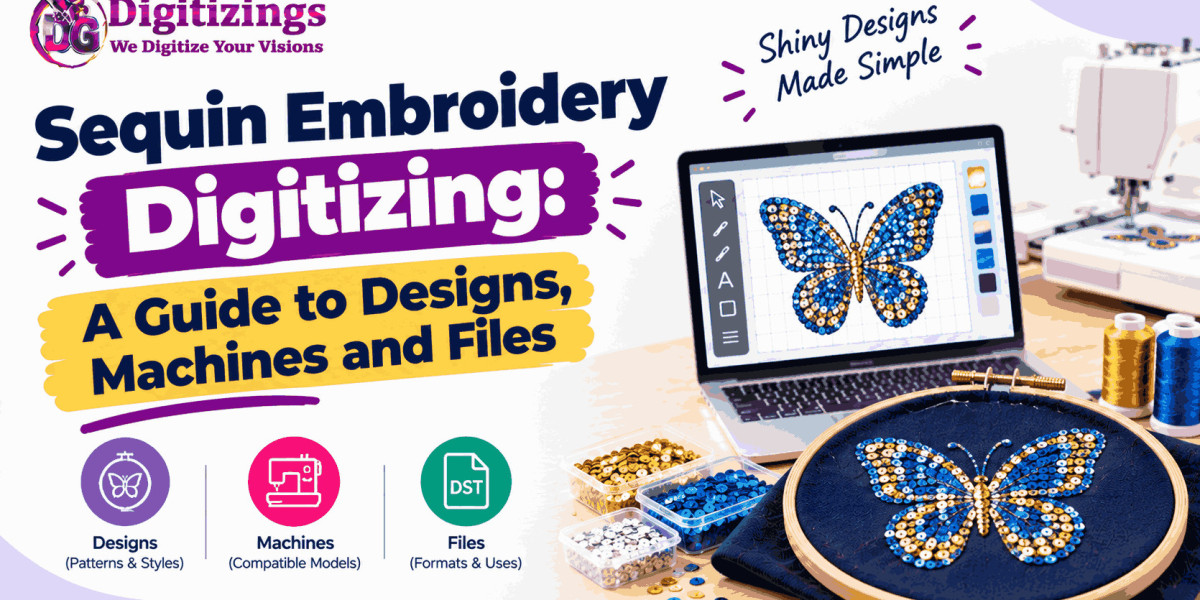

Sequin embroidery combines thread and small decorative discs to create designs with shine, movement, and texture. It is widely used for fashion garments, stage costumes, accessories, uniforms, decorative apparel, and statement pieces.
Unlike standard embroidery, sequin work requires specialized planning. The digitized design must tell the embroidery machine where to place stitches and where to attach each sequin. The size, spacing, placement, direction, and sequence of sequins all influence the final appearance.
This makes sequin embroidery digitizing a specialized skill. A design that looks simple on screen can require careful technical preparation before it is ready for production.
This guide explains how sequin embroidery digitizing works, what makes sequin designs different, which machines and files are involved, and how to prepare designs for reliable results.
What Is Sequin Embroidery Digitizing?
Sequin embroidery digitizing is the process of converting artwork into a machine-readable embroidery file that contains both traditional stitching and sequin placement instructions.
In regular embroidery, the digitizer mainly plans thread stitches. With sequin embroidery, the design also needs information about where sequins should be placed.
The digitizer may need to define:
Sequin size
Sequin spacing
Sequin placement
Stitch structure
Stitch direction
Sequin sequence
Thread colors
Design size
Layering
Start and stop points
The final file must be compatible with the embroidery machine and its sequin attachment or sequin system.
Why Sequins Change the Digitizing Process
Sequins are physical objects rather than simple thread stitches.
Each sequin adds thickness and weight to the design. It also needs to be secured properly so it does not move excessively or interfere with nearby elements.
This means the digitizer must consider both the visual design and the physical construction.
A good sequin design should have enough space for the sequins and securing stitches without becoming unnecessarily crowded.
The Main Elements of a Sequin Design
A successful sequin embroidery design usually combines several components.
Thread Embroidery
Thread can create outlines, lettering, backgrounds, borders, and supporting details.
Sequin Areas
Sequins create the reflective or decorative parts of the design.
Attachment Stitches
These stitches hold the sequins securely to the fabric.
Design Layers
Different elements may need to be stitched in a specific order to prevent later sections from interfering with earlier ones.
The relationship between these elements is one of the most important parts of professional sequin digitizing.
Choosing the Right Sequin Size
Sequin size has a direct effect on the appearance and practicality of the design.
Large sequins create a bold visual effect and can cover larger areas quickly. Smaller sequins allow more detailed patterns and tighter visual arrangements.
However, smaller does not always mean better.
The selected size should work with:
Artwork details
Fabric type
Design size
Machine capabilities
Desired visual effect
Production requirements
A digitizer should select a sequin size that supports the artwork instead of forcing the artwork into an unsuitable sequin structure.
Planning Sequin Placement
Placement is one of the most important aspects of sequin digitizing.
Sequins need to be positioned consistently so the finished design looks balanced. Poor spacing can create empty areas, excessive overlap, or an uneven surface.
The digitizer must determine how sequins will travel through each design section.
For curved artwork, the placement may need to follow the shape. For geometric patterns, consistent spacing can create a cleaner appearance.
Careful placement also helps reduce unnecessary movement during production.
Understanding Sequin Direction
Sequins can reflect light differently depending on their orientation.
This creates an opportunity to use direction as part of the visual design.
Changing the direction of sequin placement can help create:
Contrast
Movement
Pattern definition
Light effects
Visual depth
A design may use the same sequin color throughout while still appearing dynamic because of directional changes.
Designing Artwork for Sequins
Not every piece of artwork is immediately suitable for sequin embroidery.
Very thin lines and extremely small details can become difficult to reproduce because sequins require physical space.
Before digitizing, complex artwork may need to be simplified.
Good preparation may involve:
Removing tiny details
Enlarging important elements
Simplifying shapes
Reducing unnecessary colors
Separating major design areas
Creating clear sequin sections
The goal is not to preserve every pixel of the original artwork. The goal is to create an attractive design that works with the physical characteristics of sequins.
Combining Sequins With Regular Embroidery
Sequin designs do not have to consist entirely of sequins.
Combining sequins with thread embroidery can produce more detailed and visually interesting results.
For example, sequins can be used for a large decorative shape while thread creates the outline and smaller details.
This combination can provide:
Texture variation
Better definition
More visual depth
Stronger outlines
More design flexibility
The stitch sequence becomes especially important when multiple techniques are combined.
Sequins on Different Fabrics
Fabric has a major influence on sequin embroidery.
Lightweight materials may require careful stabilization because sequins add weight to the garment.
Stretch fabrics may also require special consideration because movement can affect both the fabric and the sequin attachment.
Heavier or more stable materials can provide stronger support, but the digitizing still needs to account for the fabric's structure.
Before creating the final file, the digitizer should know what type of material will be used.
What Machines Are Used for Sequin Embroidery?
Sequin embroidery is normally produced using commercial or specialized embroidery machines equipped to handle sequins.
Some machines can use dedicated sequin attachments or systems that feed and place sequins during embroidery.
The exact capabilities vary by machine model and setup.
This is important because a sequin file is not simply a normal embroidery file with decorative circles added to the artwork. The machine needs appropriate instructions for sequin placement and attachment.
Understanding Sequin Embroidery Files
Embroidery machines use specific file formats to interpret stitch information.
Common embroidery formats include:
DST
PES
JEF
EXP
VP3
XXX
However, the correct format depends on the embroidery machine.
Sequin-capable machines may also require specific sequin settings or machine-compatible instructions. Therefore, knowing the machine model and required production format before digitizing is important.
The artwork file and the final embroidery file are not the same thing.
Artwork File vs. Sequin Embroidery File
A JPG, PNG, or vector file describes visual artwork.
A sequin embroidery file contains machine instructions.
It may include information about:
Stitch movement
Stitch sequence
Thread changes
Sequin placement
Sequin attachment
Design dimensions
Machine-specific instructions
This distinction is important when preparing artwork for production.
Simply converting an image format does not create a proper sequin embroidery file.
Managing Sequin Density
Sequin density refers to how closely sequins are arranged within a design area.
Too much concentration can make the design unnecessarily heavy and may create physical interference between sequins.
Too little coverage can make the design look incomplete.
The correct balance depends on the design, sequin size, fabric, and intended appearance.
Rather than filling every available space, professional digitizing aims to create a controlled and attractive arrangement.
Planning Stitch Sequence
Sequence affects both the quality and efficiency of production.
A poorly organized design can create unnecessary movement, interference, or difficulty during stitching.
A carefully planned sequence helps ensure that background elements are completed appropriately before foreground details are added.
When thread embroidery and sequins are combined, the digitizer must pay particular attention to which elements should be stitched first.
The exact sequence varies from one design to another.
Avoiding Common Sequin Digitizing Problems
Sequin designs can experience several problems when the file is not prepared correctly.
Common issues include:
Loose sequins
Uneven spacing
Overcrowded areas
Poor alignment
Excessive thread movement
Weak attachment
Incorrect sequencing
Fabric distortion
Machine interruptions
Many of these problems can be reduced through careful digitizing and physical testing.
Test Stitching Is Especially Important
Sequin embroidery should be tested before large-scale production.
A test sample can reveal problems that are difficult to identify from a digital preview.
During testing, examine:
Sequin placement
Attachment quality
Spacing
Fabric stability
Thread coverage
Design alignment
Overall weight
Machine performance
If something does not work correctly, the digitized file can be adjusted before producing the full order.
Testing can save both material and production time.
Where Sequin Embroidery Is Commonly Used
Sequin embroidery is popular in many applications where visual impact is important.
Common uses include:
Fashion garments
Evening wear
Stage costumes
Dance costumes
Performance clothing
Decorative jackets
Handbags
Accessories
Special-event apparel
Fashion branding
The reflective surface of sequins can make a relatively simple design attract attention under different lighting conditions.
How to Prepare Artwork for Sequin Digitizing
Good artwork preparation makes digitizing easier.
Before submitting a design, provide the clearest version available. Vector artwork is often useful because it provides clean shapes and edges, while high-resolution raster artwork can also work when properly prepared.
Include useful production information such as:
Final design size
Garment or product type
Preferred sequin colors
Preferred sequin size
Required machine format
Fabric information
Any specific design instructions
Clear production information reduces uncertainty during digitizing.
Why Professional Sequin Digitizing Matters
Sequin embroidery requires more than placing decorative elements over an image.
The digitizer must understand artwork, stitches, fabric, machine behavior, sequin placement, sequencing, and production limitations.
A professionally prepared design can help reduce issues such as poor alignment, loose sequins, unnecessary density, and machine interruptions.
This becomes particularly important for commercial production where the same design must be reproduced consistently.
About Digitizings
Digitizings provides professional embroidery digitizing and vector art services for businesses, apparel brands, embroidery shops, and individuals.
The service can help prepare artwork for embroidery production while considering design size, stitch structure, fabric, lettering, and application requirements.
For specialized embroidery projects, including decorative and complex designs, proper digitizing helps translate artwork into a practical production file.
Conclusion
Sequin embroidery digitizing combines traditional embroidery techniques with carefully planned sequin placement. Because sequins are physical elements, the digitized design must account for spacing, attachment, direction, density, fabric, machine capabilities, and stitch sequence.
The quality of the final result begins with suitable artwork and continues through careful digitizing and test stitching.
Whether the project involves fashion apparel, stage costumes, accessories, branding, or decorative garments, a well-prepared sequin embroidery file can help create a clean, consistent, and visually striking result.
Understanding the relationship between artwork, machines, sequins, and embroidery files is the foundation for successful sequin production.
FAQs
1. What is sequin embroidery digitizing?
Sequin embroidery digitizing is the process of converting artwork into a machine-readable design that includes instructions for both thread embroidery and sequin placement.
2. Can any embroidery machine stitch sequins?
Not necessarily. Sequin embroidery generally requires a compatible machine, sequin attachment, or specialized sequin system. Machine capabilities should be confirmed before preparing the final file.
3. Which file format is used for sequin embroidery?
The required format depends on the embroidery machine. Common embroidery formats include DST, PES, JEF, EXP, VP3, and XXX, but a sequin-capable machine may have additional requirements.
4. Can sequins be combined with normal embroidery?
Yes. Sequins can be combined with running stitches, satin stitches, fill stitches, lettering, outlines, and other embroidery elements to create more detailed designs.
5. Why should sequin embroidery designs be test stitched?
Testing helps identify issues such as uneven sequin placement, loose attachments, poor spacing, fabric movement, and sequencing problems before the design is produced in larger quantities.